How to Choose the Right AI Tools for Your Workflow
Choosing the right AI tools can feel overwhelming. This practical guide breaks down how to select AI tools that fit your workflow, budget, and real needs without confusion or hype.
AI TOOLS
1/5/20269 min read

Introduction
Artificial intelligence tools are now everywhere. From writing and design to marketing and automation, new AI tools appear almost daily, each promising faster results and smarter workflows. While this rapid growth is exciting, it has also created a common problem: confusion. With so many options available, choosing the right AI tool has become harder than ever.
Many people assume that more features automatically mean better results. In reality, the opposite is often true. Tools packed with complex features can slow you down, increase costs, and add unnecessary friction to your workflow. The wrong AI tool doesn’t just fail to help; it can waste time, drain budgets, and create frustration instead of efficiency.
The key to success with AI is not finding the most advanced tool, but finding the right one for your specific needs. Every workflow is different, and a tool that works perfectly for one person may be completely unsuitable for another.
This guide is designed to simplify the decision-making process. Instead of focusing on trends or hype, we’ll break down how to evaluate AI tools based on real use cases, practical requirements, and long-term value so you can make confident, informed choices that actually improve the way you work.
What Are AI Tools?
AI tools are software applications designed to assist, automate, or enhance everyday tasks using artificial intelligence. Instead of following fixed instructions like traditional software, AI tools learn from data and patterns to produce results that feel more flexible and adaptive.
At a basic level, AI tools help users work faster and more efficiently. Some tools automate repetitive tasks, such as organizing data or responding to messages. Others assist by offering suggestions, summaries, or recommendations. There are also AI tools that generate content, including written text, images, videos, or even code, based on simple prompts or inputs.
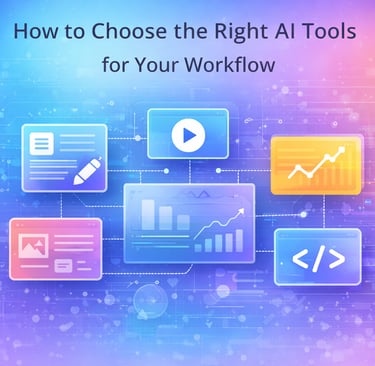
Common examples of AI tools include writing assistants that help draft articles or emails, image tools that create visuals or edit photos, video tools that generate clips or captions, data tools that analyze information, and chat-based tools that answer questions or provide support.
The key difference between AI tools and traditional software lies in adaptability. Traditional software performs predefined actions, while AI tools adjust their output based on context and input. This makes AI tools especially useful for tasks that involve creativity, decision-making, or large amounts of information without requiring technical expertise from the user.
Start With Your Workflow
Before choosing any AI tool, it’s important to understand one simple concept: your workflow comes first. A workflow is the sequence of tasks you perform regularly to get your work done, from planning and creation to delivery and follow-up. Every person and business has a different workflow, which is why no single AI tool works best for everyone.
Many people make the mistake of choosing tools based on trends, social media recommendations, or feature lists. While popular tools may look impressive, they often fail to fit real daily tasks. When a tool doesn’t match how you actually work, it creates friction instead of efficiency.
To choose the right AI tools, start by asking yourself a few practical questions:
Do you create written content such as articles, emails, or social posts?
Do you manage clients, projects, or communication across platforms?
Do you design visuals, presentations, or marketing materials?
Do you analyze data, reports, or performance metrics?
Your answers define your workflow. For example, a content creator needs AI tools that assist with writing, editing, and idea generation, while a business owner may prioritize automation, customer communication, or data analysis.
The most effective AI tools are the ones that fit naturally into your existing process. When a tool aligns with how you work, it saves time, reduces effort, and delivers consistent value. Remember this guiding principle throughout your search:
Your workflow decides your tools, not marketing.
Choosing with this mindset ensures AI supports your work instead of complicating it.
Types of AI Tools by Use Case
AI tools serve different purposes depending on the type of work you do. Instead of looking for one all-in-one solution, it’s more effective to understand the main categories of AI tools and how each supports specific tasks. Below are the most common types of AI tools, organized by use case.
AI Writing Tools
What they help with:
AI writing tools assist with drafting text, improving clarity, generating ideas, summarizing content, and editing for tone or grammar. They can speed up content creation while maintaining consistency.
Who should use them:
Content creators, bloggers, marketers, freelancers, and anyone who writes regularly for work or communication.
AI Design & Image Tools
What they help with:
These tools generate or edit images, create visual concepts, enhance photos, and aid in design layout. They reduce the time needed for visual production.
Who should use them:
Designers, marketers, social media managers, and small teams that need visual content without complex design software.
AI Video Tools
What they help with:
AI video tools assist in creating videos, generating captions, editing clips, and automating repetitive video tasks. Some also assist with scripting or visual enhancements.
Who should use them:
Content creators, educators, marketers, and businesses are producing video content for social media, presentations, or training.
AI Coding & Development Tools
What they help with:
These tools assist with writing code, debugging, explaining code logic, and automating development tasks. They help streamline technical workflows.
Who should use them:
Developers, product teams, and technical professionals are looking to improve efficiency or reduce manual coding work.
AI Marketing & SEO Tools
What they help with:
AI marketing and SEO tools assist with keyword research, content optimization, campaign analysis, and performance tracking. They support data-driven marketing decisions.
Who should use them:
Marketers, business owners, SEO specialists, and teams focused on online growth and visibility.
AI Productivity & Automation Tools
What they help with:
These tools automate repetitive tasks, manage workflows, organize information, and improve task coordination. They help reduce manual effort and save time.
Who should use them:
Freelancers, remote teams, business owners, and professionals managing multiple tasks or systems.
Understanding these categories makes it easier to narrow your options. Once you know what type of AI tool matches your workflow, you can focus on choosing the right solution within that category without unnecessary complexity.
Free vs Paid AI Tools
Many AI tools offer free versions, which makes them easy to try. Free tools are great for exploring what an AI tool can do, testing basic features, and understanding whether a tool fits your workflow. For beginners or occasional users, free plans can be enough to complete simple tasks or learn how AI works.
However, free tools come with limitations. These often include usage caps, restricted features, lower output quality, limited customization, or slower processing. Some free plans also restrict exports, watermark results, or limit how often you can use the tool. Over time, these limitations can interrupt your workflow and reduce productivity.
Paid AI tools make sense when AI becomes part of your regular work. If you rely on AI for content creation, design, automation, or analysis, paid plans usually offer better accuracy, higher limits, faster performance, and access to advanced features. They also provide consistent results, which is important for professional use.
It’s also important to watch for hidden costs. Some tools charge based on credits, usage volume, or exports, which can increase expenses without notice. Others lock essential features behind higher tiers.
The key takeaway is simple: free is good for testing, but paid is for real work. Choosing the right plan depends on how often and how seriously you use the tool.
Key Factors to Consider Before Choosing Any AI Tool
Before committing to any AI tool, it’s important to evaluate more than just features or popularity. The right tool should support your workflow reliably and consistently over time. Consider the following factors to make an informed decision:
Ease of use:
The tool should be simple to navigate and easy to learn. A complicated interface can slow you down and reduce productivity, especially if you plan to use the tool regularly.Accuracy and output quality:
Look at how reliable the results are. Consistent, high-quality output is more valuable than a large number of features that don’t perform well.Customization options:
Good AI tools allow you to adjust settings, outputs, or workflows to better match your specific needs rather than forcing a one-size-fits-all approach.Integrations:
Check whether the tool works with the platforms you already use, such as content management systems, design tools, or communication apps. Seamless integration saves time and effort.Data privacy and security:
Understand how your data is handled, stored, and protected. Tools used for business or sensitive information should follow clear privacy and security practices.Pricing transparency:
Pricing should be easy to understand, with no hidden fees or confusing usage limits. Transparent plans make long-term planning easier.Support and updates:
Reliable customer support and regular updates indicate that the tool is actively maintained and improving over time.
Evaluating these factors helps ensure that the AI tool you choose delivers long-term value instead of short-term excitement.
Common Mistakes People Make When Choosing AI Tools
Choosing AI tools can be overwhelming, and many people make similar mistakes along the way. Understanding these common pitfalls can help you avoid frustration, wasted time, and unnecessary costs.
Choosing tools because they’re trending:
Popular tools often look impressive, but trends don’t always reflect real usefulness. A tool that works well for others may not fit your workflow or goals.Paying for features they never use:
Many AI tools offer advanced features that sound appealing but provide little value in daily work. Paying for unused features increases costs without improving productivity.Using too many tools at once:
Adopting multiple AI tools simultaneously can create confusion and reduce efficiency. Managing too many platforms often leads to inconsistent workflows and scattered results.Ignoring the learning curve:
Even powerful tools require time to learn. Choosing a tool that is too complex can slow progress and discourage consistent use.Not testing before committing:
Skipping free trials or demos increases the risk of choosing the wrong tool. Testing with real tasks helps reveal whether a tool truly fits your needs.
Avoiding these mistakes makes it easier to build a focused, effective AI setup that supports your work instead of complicating it.
How to Test an AI Tool Before Fully Committing
Before committing to any AI tool, it’s important to test it in real working conditions. A short trial can reveal whether a tool truly fits your workflow or simply looks good on the surface.
Start by using the free plan or trial version whenever possible. This allows you to explore core features without financial risk. Avoid relying on pre-built demos, as they often showcase ideal results rather than everyday performance.
Next, test the tool on real tasks you actually perform. For example, generate content you would normally write, analyze data you work with, or automate tasks you handle regularly. This gives a realistic picture of how the tool performs in your daily workflow.
Measure how much time the tool saves compared to your current process. If it doesn’t reduce effort or improve speed, it may not be worth adopting. Also, compare outputs across multiple attempts to see whether the quality remains consistent or varies significantly.
Finally, check how stable and reliable the tool feels during repeated use. Consistency matters more than occasional impressive results. A tool that performs well over time is more valuable than one that works only under ideal conditions.
Testing this way helps ensure your investment delivers long-term value.
How to Build Your AI Tool Stack
Once you understand your workflow and have tested a few options, the next step is building a simple and effective AI tool stack. Instead of relying on many tools at once, focus on a small setup that supports your core tasks without adding complexity.
Start with one core tool. This is the AI tool you use most often and rely on for primary tasks such as writing, design, analysis, or coding. Your core tool should handle the majority of your workload efficiently and consistently.
Next, add one supporting tool. This tool complements your core tool by filling a specific gap, such as editing, visual creation, or optimization. The supporting tool should integrate smoothly into your workflow rather than replacing your main solution.
Optionally, consider one automation tool. Automation tools help connect processes, reduce manual effort, and streamline repetitive tasks. This step is only necessary if automation clearly improves efficiency without increasing complexity.
The goal is balance. Too many tools create confusion, increase costs, and fragment workflows. A focused setup is easier to manage and delivers better results over time.
Remember this guiding principle as you build your stack:
Simple stacks outperform complex setups.
By keeping your AI tool stack lean, you ensure technology works for you, not the other way around.
What’s Next?
Now that you understand how to choose AI tools based on your workflow, the next step is exploring tools that fit your specific needs. Instead of trying everything at once, focus on categories that align with the work you do most often.
If you work independently or manage small teams, exploring the best AI tools for freelancers and small businesses can help you find solutions designed for flexibility and efficiency. For those focused on content creation, reviewing AI writing tools is a practical way to improve writing speed and quality without sacrificing control.
You may also find value in exploring broader productivity tools that support task management, automation, and workflow optimization beyond AI-specific features.
Each of these guides builds on the principles covered in this article and helps you move forward with confidence one step at a time.
Conclusion
There is no single AI tool that works best for everyone. The right choice depends on how you work, what tasks you perform, and what problems you are trying to solve. AI tools are most effective when they fit naturally into your workflow rather than forcing you to change how you operate.
Instead of chasing trends or feature-heavy platforms, focus on tools that support your real needs. Start with a small selection, test them in everyday tasks, and refine your setup over time. This approach reduces complexity, controls costs, and helps you build confidence with AI at your own pace.
AI is not about replacing human decision-making; it’s about enhancing it. When chosen thoughtfully, AI tools can save time, improve consistency, and make work more efficient without adding unnecessary pressure.
With the right approach, AI becomes a helper, not a headache.
HELP
Have questions or feedback? We’re here to help.
Contact
Stay Connected
contact@asktechdigital.com
© 2025 Ask Tech Digital. All rights reserved.
Get occasional updates on AI tools, software reviews, and digital insights.
About Us
AI Tools
Web Hosting
Write for Us
Advertise with Us
No spam. Unsubscribe anytime.
Contact